



Retrozino App – Play on Your Mobile Device
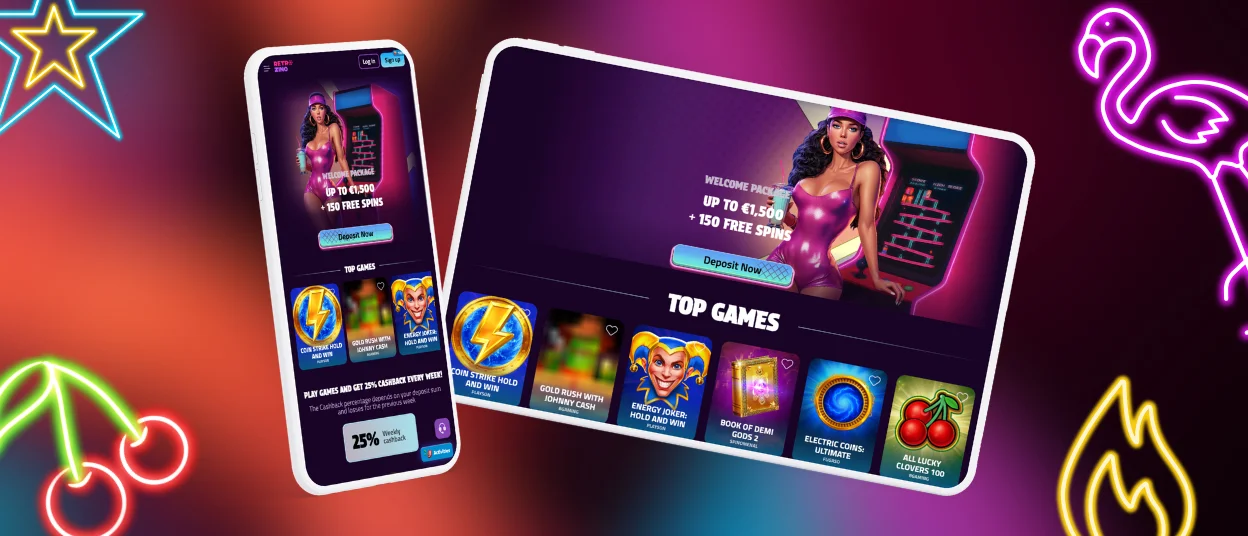
The Retrozino app for Android and iOS allows users to access all games from a mobile device. It is compatible with modern smartphones and tablets and is optimized for different screen sizes. The app provides the same features as the desktop version and functions as a progressive web app (PWA), so no additional downloads from unknown sources are required.



Retrozino Casino on Mobile Platforms
Like many modern platforms, Retrozino offers a mobile version alongside its desktop site. The mobile interface is user-friendly with intuitive navigation and is compatible with Android and iOS devices.
The mobile platform provides the same features as the desktop version, including access to over 6,000 games, payment options, the bonus system, and customer support. All personal information is protected using SSL encryption.
The mobile experience matches the desktop version in functionality and, in some cases, can offer an even more convenient gaming session.
| Feature | Mobile software | PC version |
| Accessibility | Users can access Retro Zino from a smartphone or tablet, allowing gameplay anytime. | It requires a desktop or laptop, which is less portable. |
| Notifications | Retro Zino users receive push notifications about bonuses, tournaments, and free spins. | Retro Zino does not provide real-time notifications unless the user is logged into the platform. |
| Security | Retro Zino supports biometric login options, such as Face ID or fingerprint, for enhanced account security. | It relies only on a password login. |
| Offline access | Certain games and account functions on Retro Zino can operate even with limited or intermittent internet connectivity. | This version requires a stable connection at all times. |
Retrozino Android Casino App
The Retrozino app allows users to access the platform from anywhere. For Android users, a secure and convenient progressive web app (PWA) is available, compatible with all modern devices. No downloads from unknown APK sources are required, ensuring device security.
The mobile app mirrors the desktop version in design and navigation, adapted for smartphones and tablets. To install the Retrozino mobile app, follow these steps:
- Visit the official Retrozino website.
- In the website footer, click the “Casino App” button.
- Tap “Install.”
- Once installed, an online casino icon will appear on your device screen.
If installation is not preferred, the platform is fully accessible via any mobile browser. Users can also add a shortcut icon to their home screen for quick access.
Retrozino iOS Casino App
iOS users can access the Retrozino mobile app, compatible with all iPhone and iPad models. The app adjusts to different screen sizes and provides high-quality live dealer games, offering an experience similar to a real casino. The installation process for iOS is the same as for Android devices.
Alternatively, you can acces the platform through any mobile browser. The website maintains the same design and functionality as the desktop version, while adapting to touchscreen devices. Users can access the full collection of games, including slots, table games and live dealer options.
For quick access, you can add a shortcut icon to the home screen:
- Open the Shortcut app on your iPhone or iPad.
- Tap the + (plus) icon in the top-right corner to create a new shortcut.
- Select “Add Action” and enter the website URL you want to create a shortcut for.
- Tap the down arrow next to the shortcut name and choose “Add to Home Screen.”
- Assign a custom name if desired, then tap “Add.”
Software for Windows and macOS
Retrozino is fully accessible on desktops. The platform can be used in any web browser on a PC, allowing users to play both at home and on mobile devices seamlessly.
For quicker access, the online casino can be added as an icon on the desktop or home screen. To do this, visit the Retrozino website and select “Add to home screen” from the browser menu.
If assistance is needed, the Retrozino support team is available 24/7 via live chat or email.
FAQ
Is Customer Support Available in the Retrozino App?
The Retrozino app provides the same features as the desktop version, including 24/7 customer support via live chat. Email support is also accessible from any device.
Do I Need an Account to Use the Retrozino App?
To access games, payment functions, customer support and other features in the app, users must complete registration. The process is quick and usually takes only a few minutes.
Does the Retrozino App Save My Game Progress Across Devices?
Yes. As long as you are logged into the same account, your game progress, bonuses and preferences are synced automatically. This feature enables you to switch between the mobile and desktop versions of the website without losing any data.


